


In the system you deliver
Ready-made screens: kanban, calendar, Gantt and reports
The screens every system asks for come ready and wired to your database: kanban, calendar, Gantt, reports with subtotals and an approval queue.
Drag-and-drop kanban
Drag a card between stages and the change is saved instantly, with a count and total per stage.
The card changes stage and the counts follow
For:No codingManager and CEO
Calendar in four views
Appointments by month, week, day or list, with working hours and events you create, drag and stretch with the mouse.
The calendar's four views, on the same button
For:No codingManager and CEO

Gantt with critical path
Plan with hierarchical tasks, milestones and dependencies. The critical path is highlighted, and dragging a bar saves the new date.
Dependencies and critical path on the schedule
For:Manager and CEOCTO

-
1 -
2

Report with subtotals
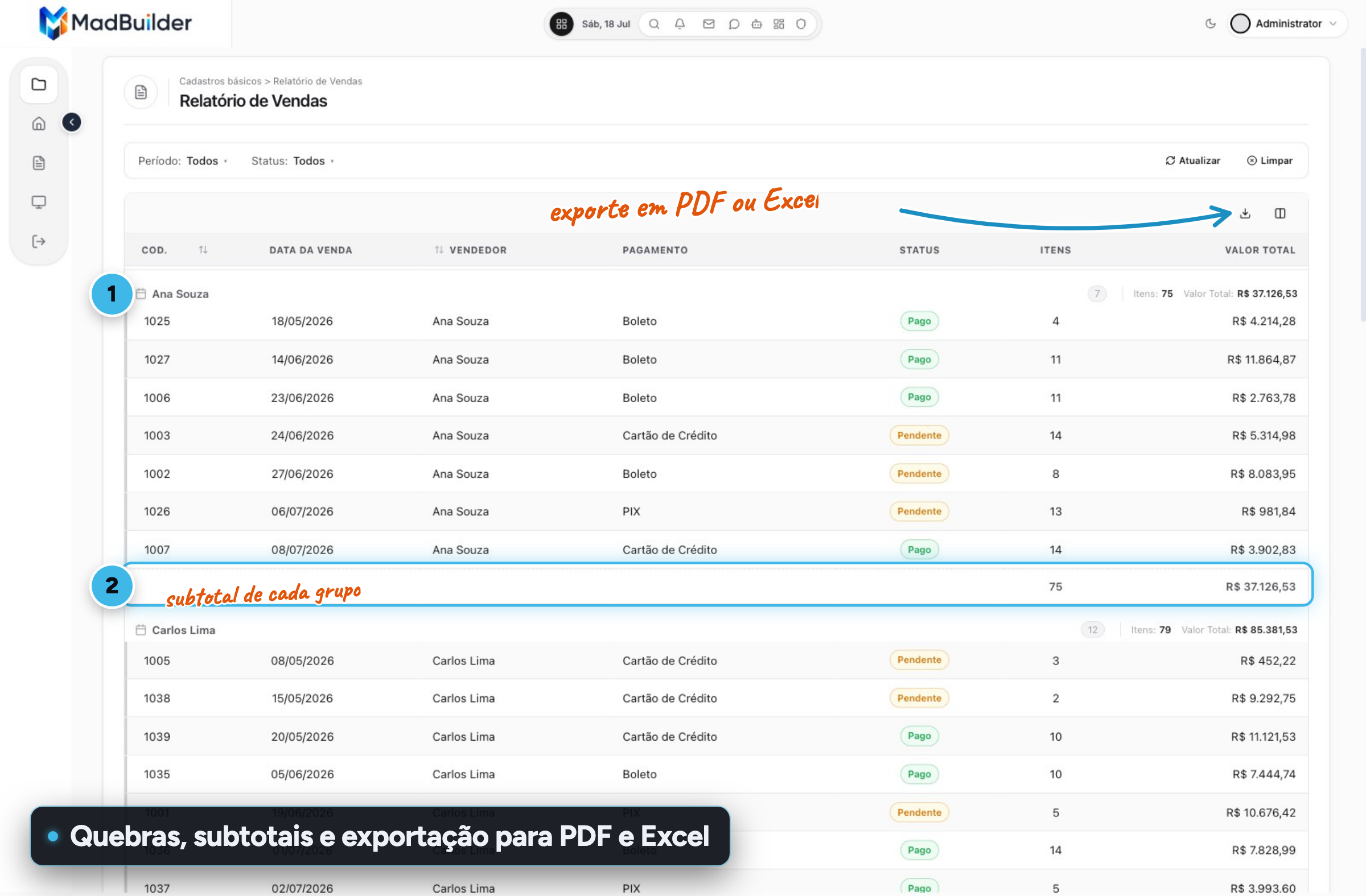
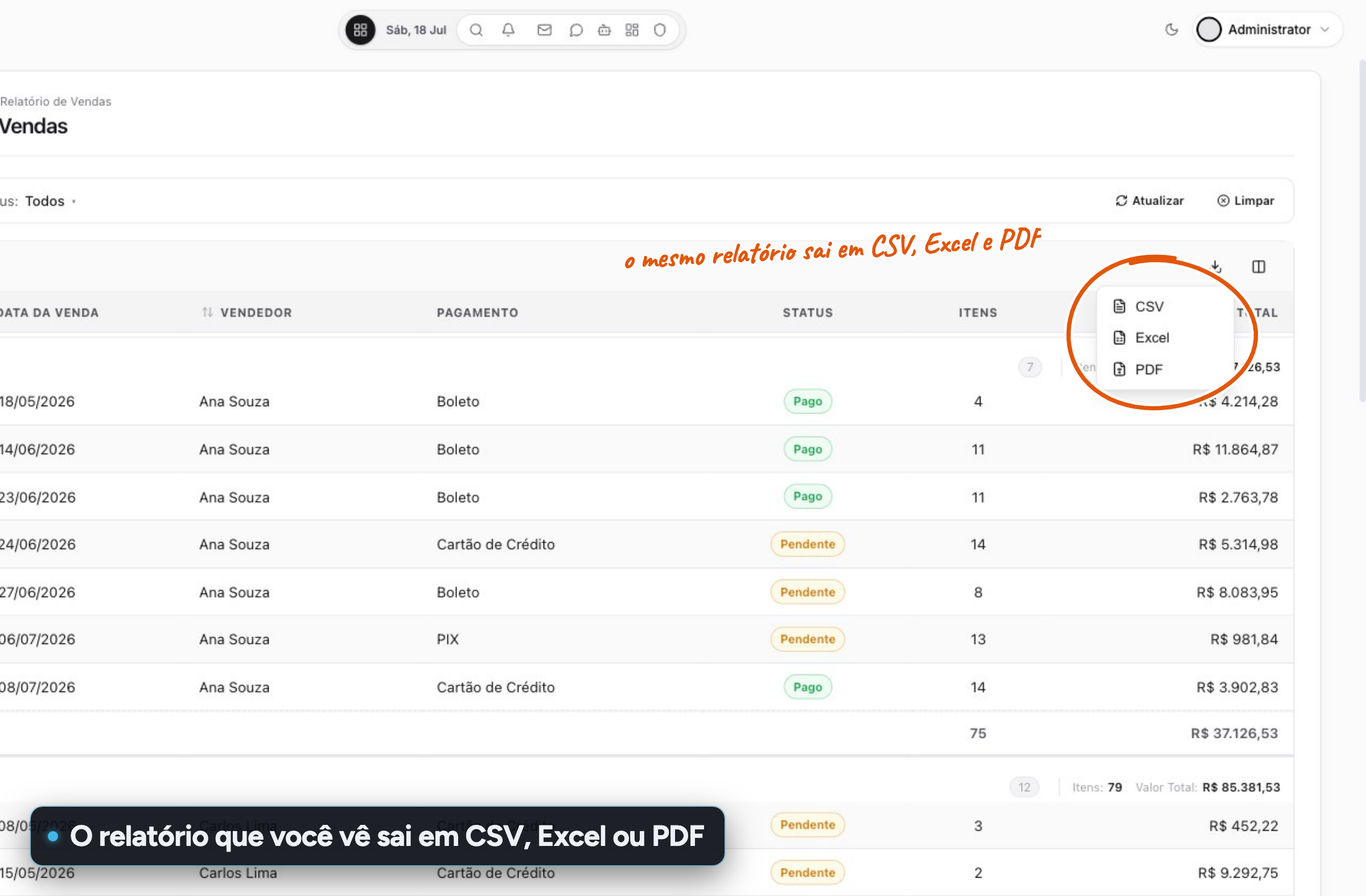
Group by one or more fields with a sum, average or count per group and a grand total, on screen, in PDF, in Excel and in CSV.
Breaks and subtotals per group
For:Manager and CEO
CEP lookup that fills in the address Requires an active plan
Type the CEP (Brazilian postal code) and street, neighborhood, city and state arrive filled in. The CNPJ (Brazilian company ID) does the same for the company record.
CEP typed in, address filled in on its own
For:No codingManager and CEO

Approval queue
Approvers see only their own pending items and can open, decide or delegate them. The flow has deadlines, reminders and escalation.
Everyone sees only what they need to decide
For:Manager and CEOCTO
Other topics
In the Studio
In the system you deliver
Create an account, build a screen, download the project.
No scheduled demo, no discovery call. If the Laravel that comes out doesn’t pass your team’s review, you lost an afternoon.
- Create an accountOpen beta, no credit card.
- Build a screenVisually, in code, or by asking the AI.
- Download the .zipA Laravel project that runs wherever you want.
